01 · WORKING SURFACE

Agent chat workspace

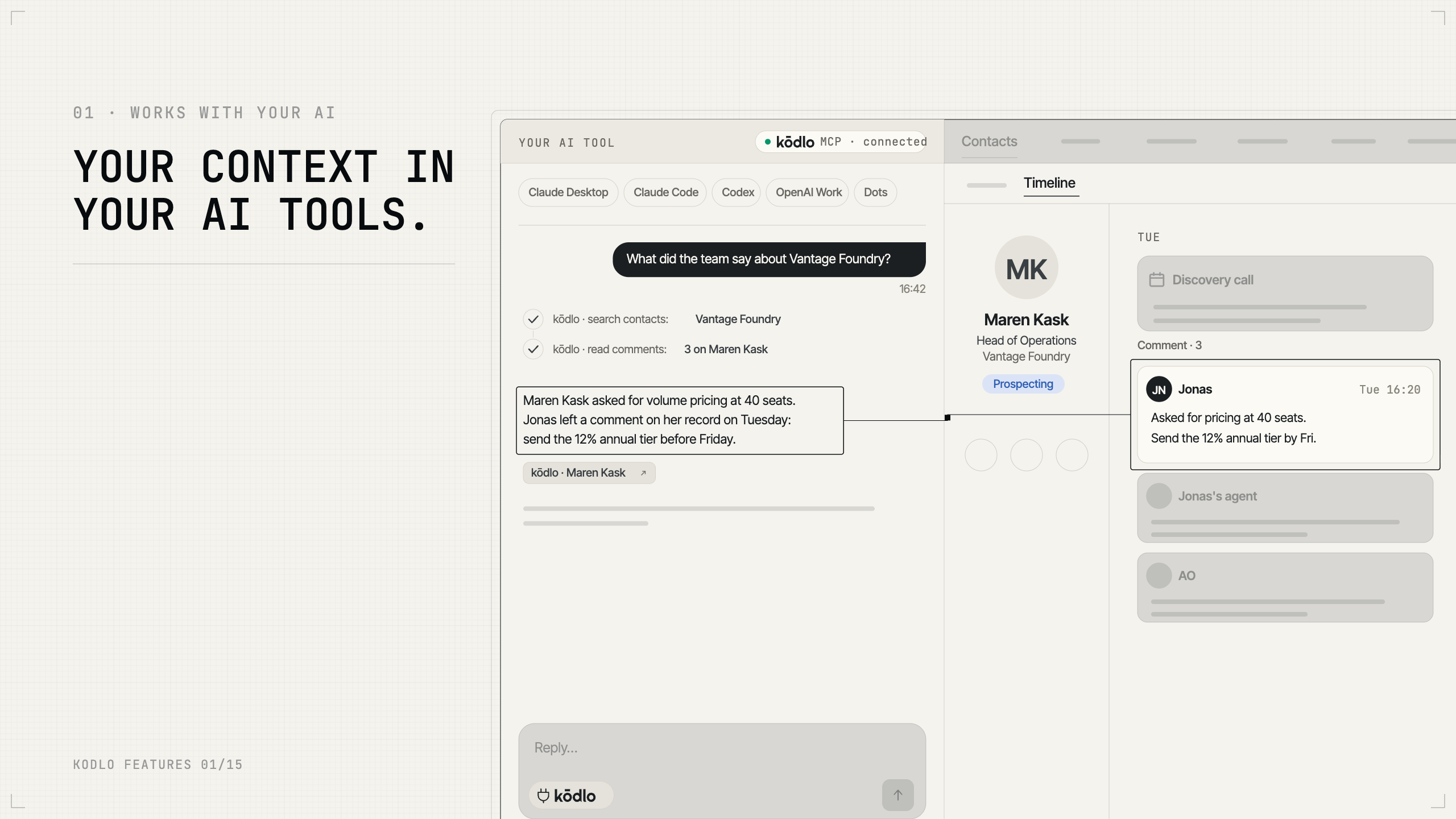
The workspace is a split screen: the agent on the left, your records live on the right. Ask it to look at a contact and the contact panel opens; ask for research and the Generate tab fills as the report is written. The agent reads the record you currently have open, so "draft something for this one" needs no further explanation, and its writes land in the same database you are browsing — not in a separate AI sandbox that syncs back later. Six tabs sit on the right: Contacts, Tickets, Campaigns, Knowledge, Generate and Deck. Under the message box are the Agent menu, a Knowledge switch, a Tone picker, attachments, a microphone and a language selector. Conversations persist as named sessions in tabs, so several threads run in parallel — prospecting in one, a single deal in another. Tool activity stays visible while the agent works, so a long request shows progress rather than a spinner.

Start for free
The product's home screen — the agent and your records, side by side and live.
02 · PROSPECT SOURCING

Discovery

Discovery works from a campaign's ICP, searches the open web for companies and people that match, and brings back candidates with evidence for each one — why this company, why this person, and the specific proof line behind the claim: a funding round, a job ad, a line on their website. Nothing enters your workspace until you review the staged list and confirm the import. Two structural details do the work. Every candidate must carry a buyer-fit proof line, which is what stops results filling up with vendors selling what you sell rather than people who would buy it. And the evidence survives the import — the reasoning lands on the contact's timeline as buying signals, so six weeks later a rep can still see why this person was sourced. Up to 25 candidates per run, one run per user at a time, with contacts already in the campaign excluded before the search starts. In the app you will find this as Discovery.

Start for free
New prospects sourced from your campaign's ICP, each with the evidence for why they fit.
03 · PRE-CALL RESEARCH

Deep search

Deep search researches a company, a market, a person or a topic across many web sources and writes it up as a cited report in the Generate tab. It takes minutes, not seconds. A run fans out across several parallel research passes, and the number of web fetches per run is capped — that cap is what bounds the cost. Three behaviours are worth stating. A report always ships: if a run hits its budget you get a shorter report with an explicit Limitations section naming what could not be filled, never nothing at all. Citations are deduplicated and renumbered in order of first appearance, with the source list rebuilt from the citations that survived into the final text, so numbering and prose never drift apart. And fetched pages are handled as data, never as instructions — a page telling the agent to ignore its task cannot hijack the run. Public web only: no paywalled sources, no logged-in pages.

Start for free
Multi-source research, written up as a report you can hand to someone.
04 · INSTITUTIONAL MEMORY

Knowledge Hub

Upload the documents the agent should treat as fact — price lists, product one-pagers, case studies, contracts — and kōdlo reads them, scanned PDFs included, through an OCR pipeline. Documents live in projects, and you choose which projects a given conversation may draw on. The guarantee that matters is structural: the source list under an answer is assembled by the system from the passages actually retrieved, not written by the model, so it cannot cite a document it did not read. The second is privacy: a private project is private even from workspace Owners and Admins, with no override path anywhere in the product. Supported types: PDF, DOCX, XLSX, CSV, TXT, MD, PPTX, at 25 MB per file and up to 100 projects. Re-uploading under the same name creates a new version, and the old one stays searchable until the new one finishes processing — so there is never a gap.

Start for free
Multi-source research, written up as a report you can hand to someone.
05 · WORK THAT REPEATS

Scheduling jobs

A request can outlive the conversation that started it. Ask for something recurring — "every Monday, check these accounts for news and open a ticket if anything moved" — or something long — "research each of these 400 companies and log what you find" — and the agent stages a job for you to confirm. It then runs on its own, delivering results to the workspace, to Telegram, to Google Chat, or a combination. A job cannot start itself: a model tool call only stages it, and a human confirmation arms it, so a misunderstood instruction cannot quietly become a process that runs forever. For long lists, the rows never pass through the agent's context — the list is expanded and stored by the system and each item handed over on its own, which is why a job resumes cleanly after an interruption and why a 5,000-row list does not degrade as it goes. Recurring jobs run at a five-minute minimum; batch items drain one per fire, so a 500-item job is a multi-day process by design.

Start for free
One mechanism, two shapes: work that repeats on a schedule, and work that grinds through a long list.
06 · OFFER MATERIAL

Deck (Beta)

Deck composes a presentation against a template built from your own material, lets you edit it slide by slide on a canvas, and exports to PowerPoint or PDF. Templates come from either uploading an existing PowerPoint file or entering a company web address — kōdlo reads the colours, type scale, layouts and spacing off your own deck or site and rebuilds them into a layout family, rather than offering you a gallery to pick from. You give the agent a story: audience, hook, argument, payoff. It plans the outline, fills each slide, and generates the images in that same art direction — up to 12 per deck, 4 per slide. Slides carry speaker notes and a per-slide source line where content came from research. Text auto-fits its box, so a longer heading shrinks instead of overflowing. Sharing gives the recipient an independent copy. This ships labelled preview, and we say so rather than waiting for you to notice.

Start for free
Slide decks composed against a template derived from your own brand.
07 · THE MESSAGE

OUTREACH

Ask the agent to write to someone and it drafts the message grounded in what it knows about them — an opener, a connection note, a reply to a post. Two things do the heavy lifting. Every draft passes a voice check before it reaches you, flagging the tells that make a message read as machine-written: filler phrases, em-dashes, emoji, exclamation marks, the "not just X, but Y" construction. And there are deliberately no sample messages in the agent's instructions, because specimens get imitated and two different prospects end up receiving recognisably the same note. A draft is text, so it travels wherever you do — and today the one-click hand-off is built for LinkedIn, with connection notes held to the platform's 300-character limit before you ever see them fail. Other channels, email among them, are next. A contact marked do not contact is refused outright, and kōdlo never sends anything: the click is always yours.

Start for free
Messages written in your voice, ready to use in whichever channel you reach out through.
08 · WHAT THE AGENT REMEMBERS

Long-term memory

On Pro and above, kōdlo builds a searchable memory of past conversations and generated documents, so "what did we tell Acme in March?" has a real answer. Alongside it sits a short working profile of your preferences, applied to new conversations so first drafts start closer to how you actually write. Both are built on a nightly pass — this is recall of past work, not of the last five minutes — and the initial build looks back 90 days. The controls are genuinely per person: you can pause your own profiling while the workspace's shared memory keeps working, see what is held, and delete everything retained about you without disturbing anyone else. Remembered content reaches the agent as quoted data rather than as instructions, so text captured from an old conversation cannot redirect a new one. No model is trained on any of it.

Start for free
Recall across past conversations, and a short profile of how you like things done.
09 · OFF-DESK ACCESS

Telegram & Google Chat Integration

Not a notification bridge — the actual agent. Ask it to research a company from your phone and it does, and the answer comes back in the chat. It runs the same pipeline as the web app, with the same access rules, the same allowance accounting and the same confirmation gate, so a change to your records proposed on your phone renders as tappable buttons and can be approved right there. Telegram connects through a one-time link in Settings → Connections; Google Chat connects the first time you message the bot. Generated documents arrive as files in Telegram and as a formatted card in Google Chat. Both connections are per person, not per workspace. Two honest limits: voice notes are not supported — the bot will ask you to type — and job cards do not render in either bot, so scheduling still gets confirmed in the web app.

Start for free
The same agent, with the same access, in the app you already have open.
10 · LIST OF PROSPECTS

Campaigns

A campaign groups the prospects you are working right now and carries an Overview — the brief the agent consults before drafting, sourcing or researching for that campaign. Inside it, kōdlo maintains two sections for you: the ICP, which defines who you are targeting and which Discovery sources against, and the Outreach playbook, which defines how messages for this campaign should read. You do not write these by hand; you ask the agent to fill them in. The mechanism is the interesting part: the brief is machine-managed in place, so the agent edits its own sections without disturbing the prose you wrote around them, and an edit that would silently drop a managed section is refused. It is one document that is both human-readable and agent configuration. Four states — active, paused, completed, archived. A campaign's stated offering overrides the workspace-level description, because most workspaces sell more than one thing.

Start for free
A group of prospects plus the brief the agent reads before it writes anything.
11 · THE RECORD

Contacts

A contact record holds job title, location and country, email, phone, LinkedIn address, company name, website, industry, employee range, year founded, and free-text background covering education and career history. Each carries a pipeline status — one of eight, from contact through prospecting, engaged, nurturing, qualified and meeting scheduled to rejected and do not contact — and a dated timeline of everything that has happened, with workspace-defined event types you set up yourself. The record is the substrate everything else works on: Deep search writes its findings here, Discovery lands new prospects here with their evidence attached, and outreach drafting reads from here. One deliberate asymmetry is worth knowing: do not contact is a human decision. The agent cannot set that status, and cannot edit a contact already marked with it.

Start for free
The people you sell to, and the company detail around them.
12 · YOUR TASK TRECKER

Tickets

Tickets carry a status — pending, in process, done — one of four priorities, an assignee and a comment thread, and can hang off a contact's timeline event or stand alone at workspace level. The agent opens them, updates them, and can be asked what is outstanding, which is what closes the loop between the agent noticing something and a person doing something about it. Assignment and comments raise in-app notifications. Deleted tickets are soft-deleted and recoverable for 30 days. What this deliberately is not: there is no due-date reminder engine and no recurring tickets — recurring work is the jobs feature instead — and no two-way sync with an external task tracker.

Start for free
Follow-up work, with the agent as a first-class creator.
13 · WORK WITH REPORTS

Generate

Reports, documents and drafts arrive in the Generate tab as files you can open, read, edit and keep, each with a stable link — and readable while they are still being written rather than appearing all at once at the end. The agent can read its own past output, which is what makes "update the brief we wrote last week" a real instruction rather than a request to start over. Documents can be edited in place, deleted and restored, or saved into the Knowledge Hub so they become citable reference material for later work. Deletion is soft; the underlying content is purged after 30 days, and asking the agent about a deleted document returns a clear answer rather than an error. These are Markdown-based text documents — a working format, not a page builder.

Start for free
Long output as files you keep, not chat messages that scroll away.
14 · HOW YOU SOUND

Tone of voice

Tone of voice is a preset you define once and the agent follows when it drafts. The picker sits as a pill under the message box, so switching register — a founder-to-founder note versus a formal reply to a procurement lead — is one click rather than a paragraph of instruction retyped every time. Presets are per person rather than per workspace, so two people sharing a workspace write in recognisably different voices. Together with the campaign's Outreach playbook, this is what stops drafts drifting every time somebody phrases the request slightly differently.

Start for free
Saved writing-style presets the agent follows.
EU/GDPR ✓ Sign in